foundry-gas追踪

gas报告

通过 foundry.toml 中的 gas_reports 字段配置哪些合约输出 Gas 报告。

为特定合约生成报告:

gas_reports = [“MyContract”, “MyContractFactory”]

为所有合约生成报告:

gas_reports = ["*"]

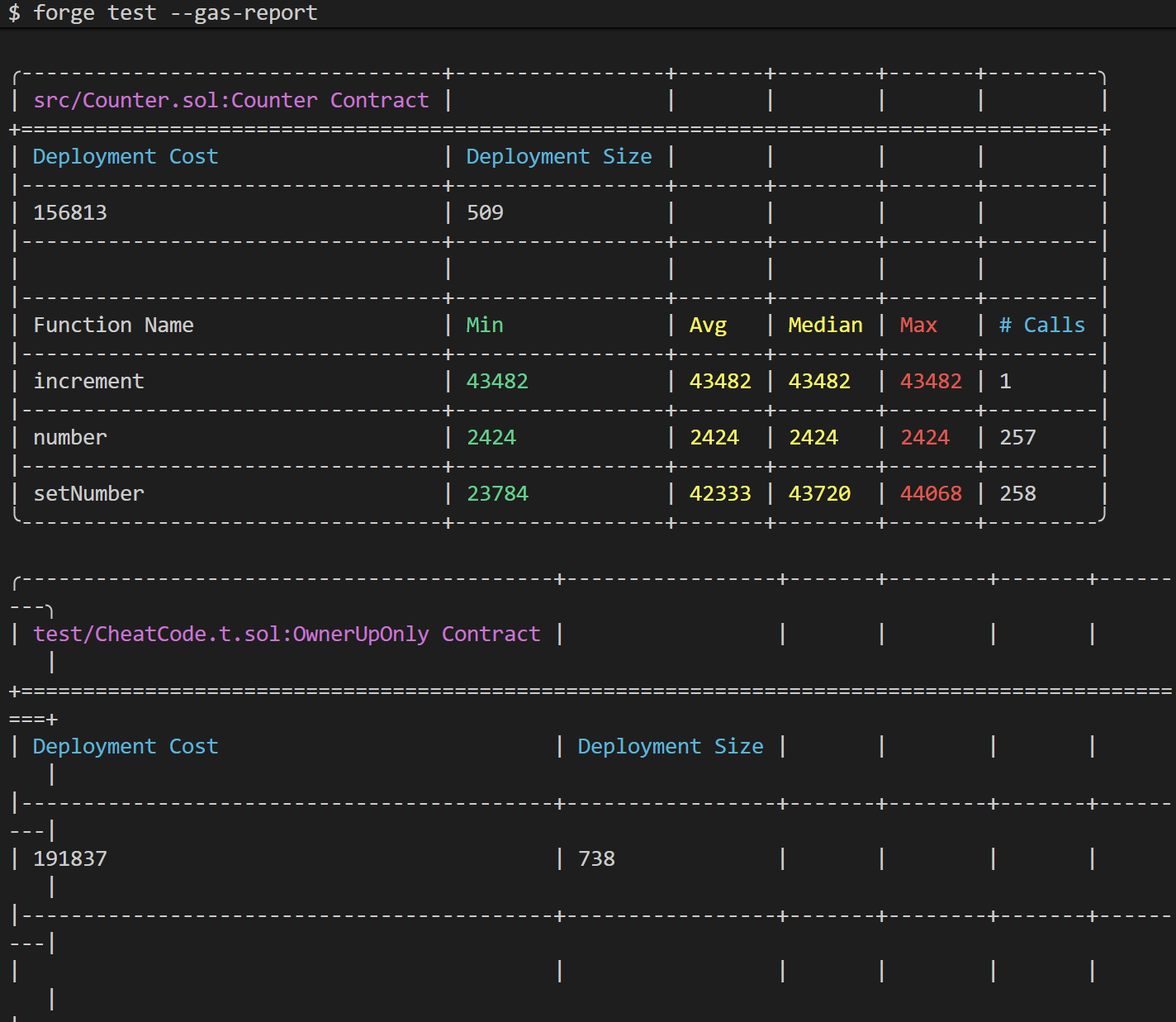
运行 forge test –gas-report 生成 Gas 报告:
可以通过配置 gas_reports_ignore 字段忽略合约:

gas_reports_ignore = [“Example”]

gas的函数快照

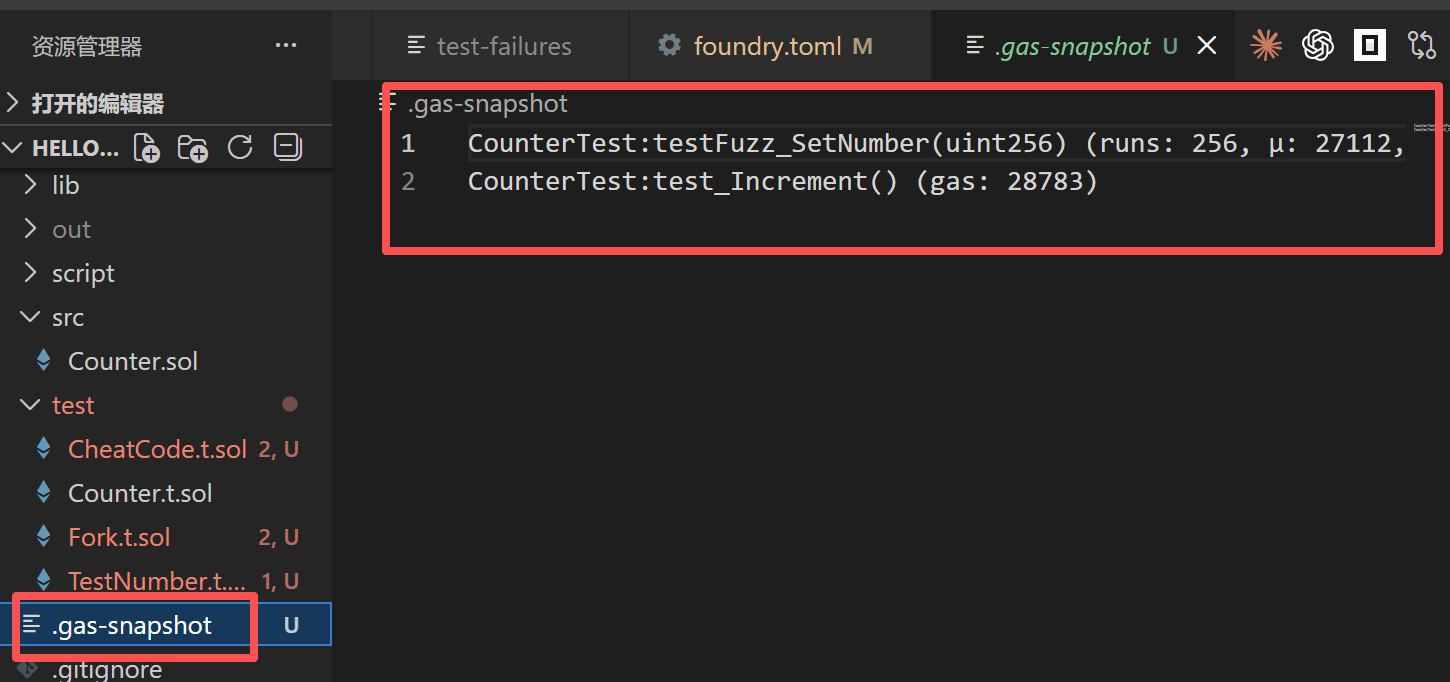
运行 forge snapshot 生成 gas 快照,这将默认生成一个名为 .gas-snapshot 的文件,其中包含你所有的测试及其各自的 gas 使用情况。

仅当一个测试文件中的 所有测试都通过 时,才为该文件生成快照。

 1
 2
 3
 4
 5
 6
 7
 8
 9
10
11
12
13
14
15
16
17
18
19
20
# 只测 指定文件
forge snapshot test/Counter.t.sol

# 只测 指定合约
forge snapshot --match-contract

# 指定一个不同的输出文件
forge snapshot --snap <FILE_NAME>

# 使用 --asc 按升序排序,--desc 按降序排序

# 要仅包含高于阈值的结果,可以使用 --min <VALUE> 选项。同样,要仅包含低于阈值的结果,可以使用 --max <VALUE> 选项。

# 与 forge test 的过滤器结合使用,例如 forge snapshot --match-path contracts/test/ERC721.t.sol 以生成与此测试合约相关的 gas 快照。

# 将当前快照文件与最新更改进行比较
forge snapshot --diff .gas-snapshot2

# --check 将比较快照与现有快照文件,并显示所有差异
forge snapshot --check .gas-snapshot2

Gas 部分快照

https://learnblockchain.cn/docs/foundry/i18n/zh/forge/gas-section-snapshots.html

Forge 可以在测试函数内部使用 snapshotGas 作弊代码 来捕获任意部分 gas 使用的。这样可以精确测量逻辑消耗了多少 gas ,因为外部调用和内部 gas 使用都会被测量。

comments powered by Disqus
使用 Hugo 构建
主题 StackJimmy 设计