参考官方文档
开发工具及环境
PyCharm,Django5.2.6,Python3.11
什么是视图
Django 中的视图的概念是「一类具有相同功能和模板的网页的集合」。比如一个博客项目,会创建如下几个视图:
-
博客首页——展示最近的几项内容。
-
内容“详情”页——详细展示某项内容。
-
以年为单位的归档页——展示选中的年份里各个月份创建的内容。
-
以月为单位的归档页——展示选中的月份里各天创建的内容。
-
以天为单位的归档页——展示选中天里创建的所有内容。
Django 会根据用户请求的 URL 选择使用对应的视图
实践
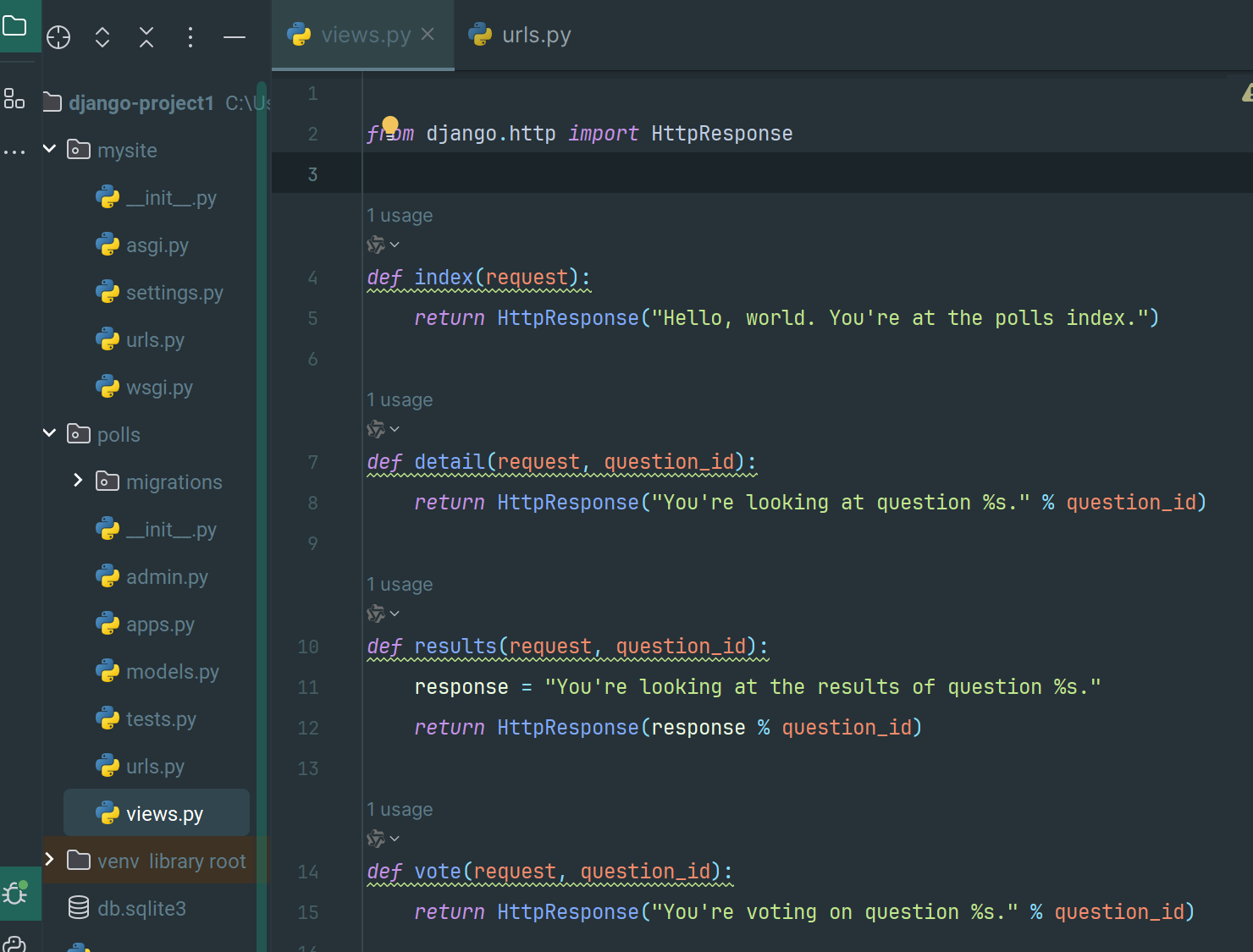
polls 应用的 view.py 中添加视图,也就是方法:
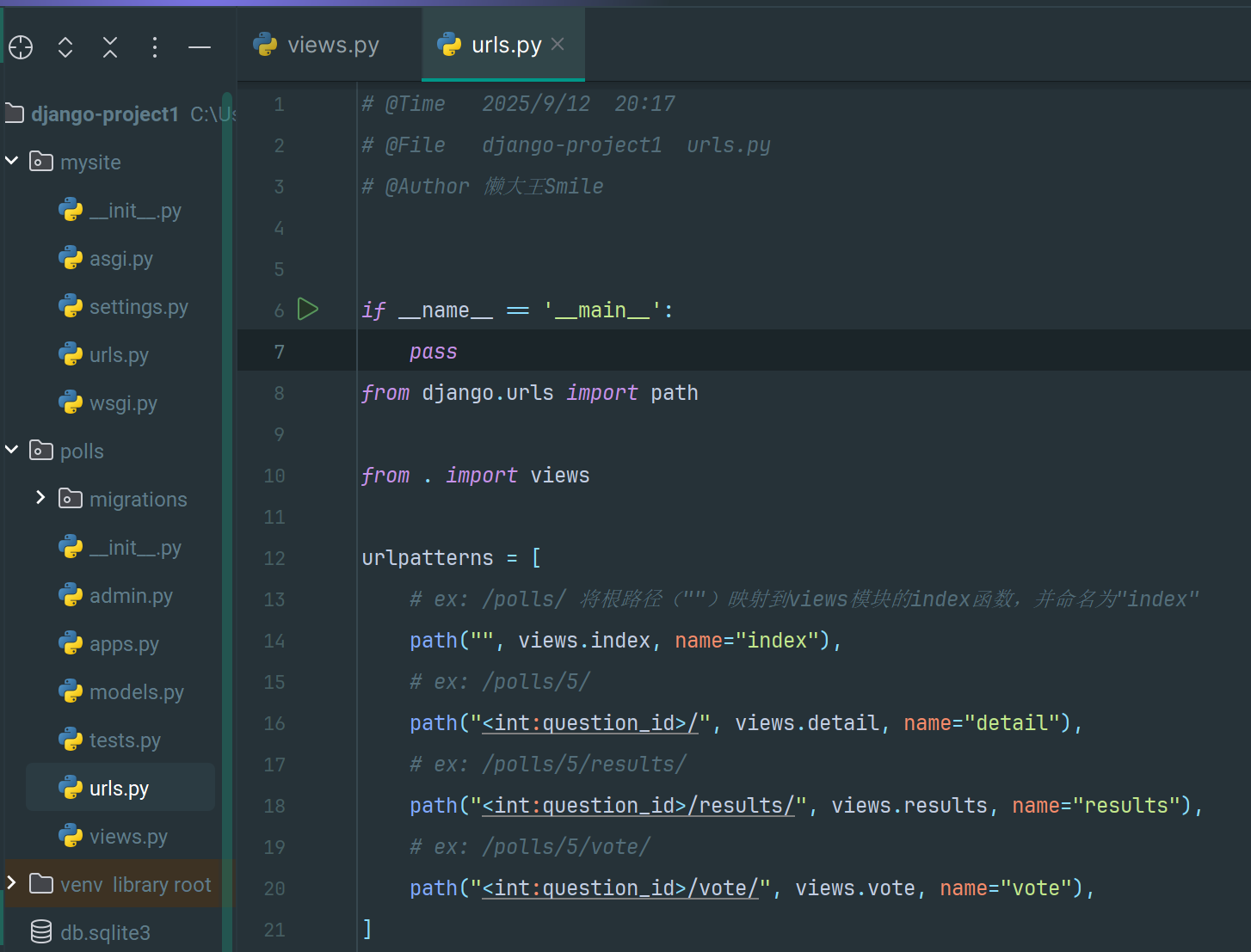
然后在 polls 应用的 urls.py 中添加 url 映射,这样就可以根据请求的 url 映射到对应的视图了:
在视图中使用模型并从数据库取数据
修改 polls 应用的 index 函数,从数据库中取数据并返回:
1
2
3
4
5
6
|
from .models import Question

def index(request):
    latest_question_list = Question.objects.order_by("-pub_date")[:5]
    output = ", ".join([q.question_text for q in latest_question_list])
    return HttpResponse(output)
|
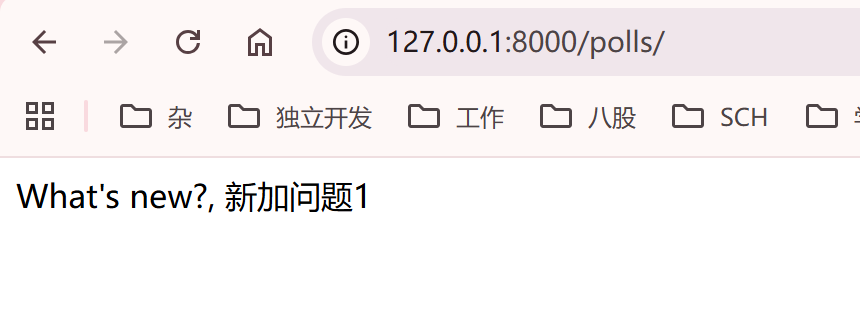
访问应用,成功从数据库取数据
模板 Templates
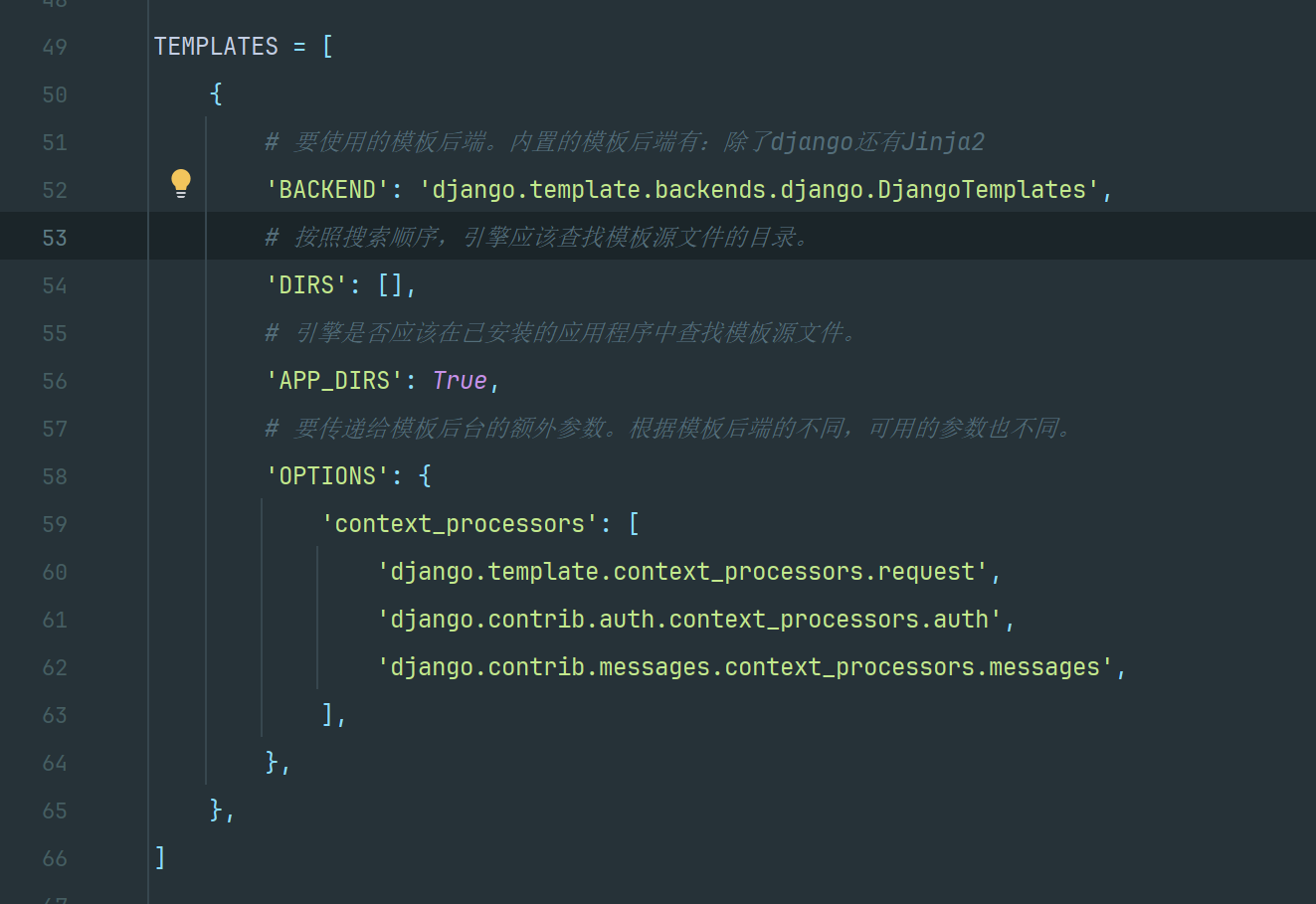
模板可以简单的理解为 HTML 界面,在项目的 settings.py 中有一个配置项 TEMPLATES:
上面的页面设计是写死在 py 代码中,接下来使用 Django 的模板系统创建一个视图,将页面设计从代码中分离:
创建 index.html
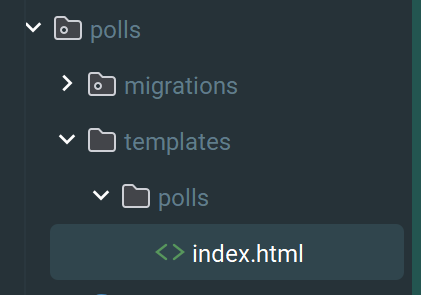
HTML 核心内容如下:
 1
 2
 3
 4
 5
 6
 7
 8
 9
10
11
12
13
14
15
16
17
18
19
20
|
<!DOCTYPE html>
<html lang="en">
	<head>
		<meta charset="UTF-8" />
		<title>Title</title>
	</head>
	<body>
		{% if latest_question_list %}
		<ul>
			{% for question in latest_question_list %}
			<li>
				<a href="/polls/{{ question.id }}/">{{ question.question_text }}</a>
			</li>
			{% endfor %}
		</ul>
		{% else %}
		<p>No polls are available.</p>
		{% endif %}
	</body>
</html>
|
修改视图的 index 函数
这个代码作用是加载模板然后把 context 数据交给模板,这样模板就可以渲染数据了:
1
2
3
4
5
|
def index(request):
    latest_question_list = Question.objects.order_by("-pub_date")[:5]
    template = loader.get_template("polls/index.html")
    context = {"latest_question_list": latest_question_list}
    return HttpResponse(template.render(context, request))
|
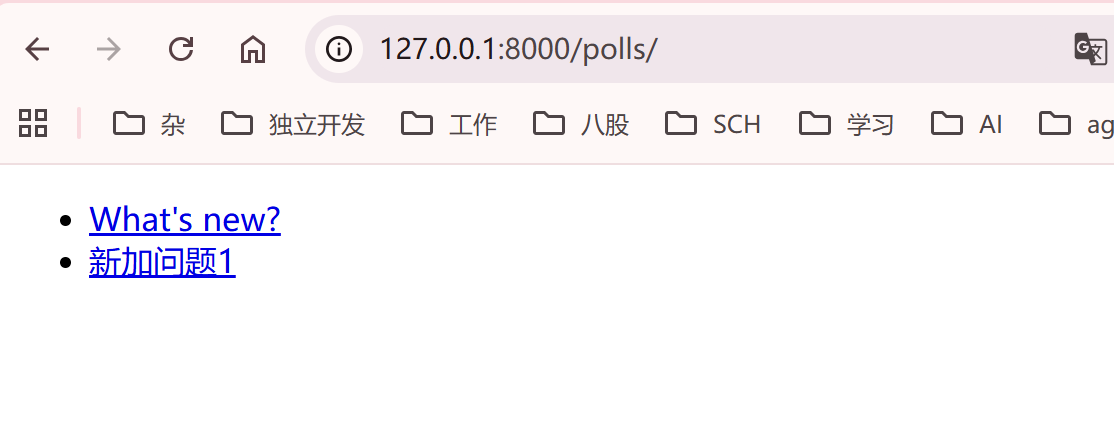
重新访问界面:
快捷函数 render()
「载入模板,填充上下文,再返回 HttpResponse 对象」是一个常用的操作流程。于是 Django 提供了一个快捷函数 render(),接下来用它来重写 index() 视图:
1
2
3
4
5
6
|
def index(request):
    latest_question_list = Question.objects.order_by("-pub_date")[:5]
    # template = loader.get_template("polls/index.html")
    context = {"latest_question_list": latest_question_list}
    # return HttpResponse(template.render(context, request))
    return render(request, "polls/index.html", context)
|
404 错误页
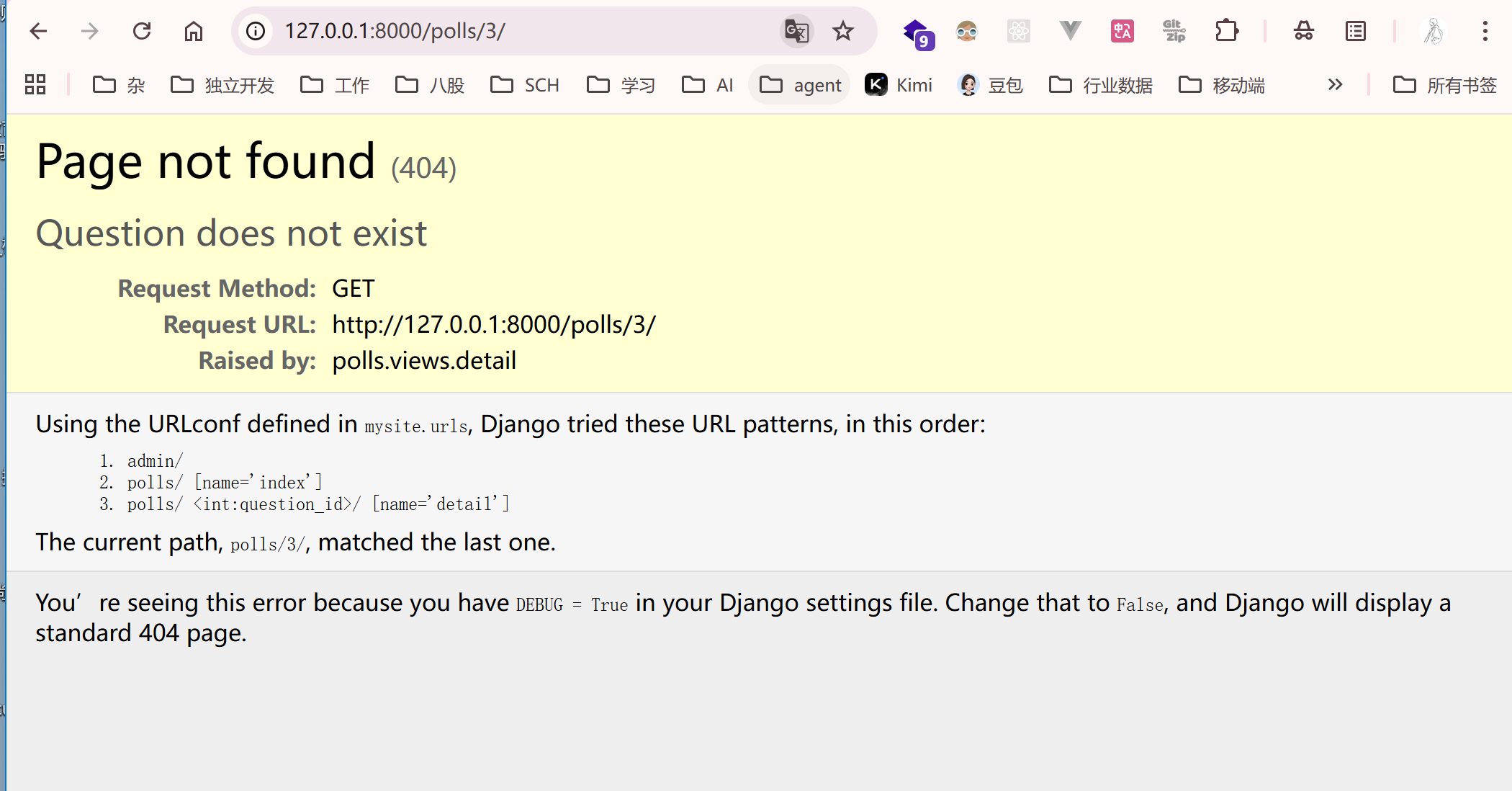
修改 details 视图,如果请求的 id 不存在则抛出 404:
1
2
3
4
5
6
7
8
|
def detail(request, question_id):
    # return HttpResponse("You're looking at question %s." % question_id)
    def detail(request, question_id):
        try:
            question = Question.objects.get(pk=question_id)
        except Question.DoesNotExist:
            raise Http404("Question does not exist")
        return render(request, "polls/detail.html", {"question": question})
|
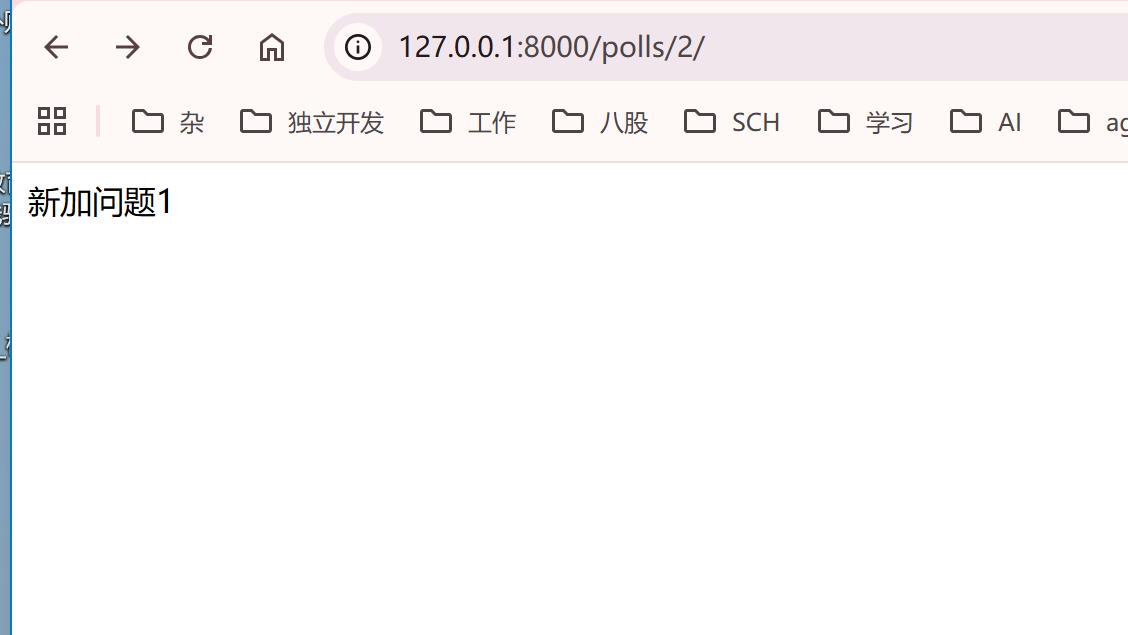
测试下,先请求 id 为 1 和 2 的,因为都有数据所以没有 404,请求 id 为 3 因为没数据就 404 了
get_object_or_404
对于上述如果不存在就抛出 Http404 错误也是一个普遍的流程。Django 也提供了一个快捷函数
1
2
3
4
5
6
7
8
|
def detail(request, question_id):
    # return HttpResponse("You're looking at question %s." % question_id)
    # try:
    #     question = Question.objects.get(pk=question_id)
    # except Question.DoesNotExist:
    #     raise Http404("Question does not exist")
    question = get_object_or_404(Question, pk=question_id)
    return render(request, "polls/detail.html", {"question": question})
|
去除模板的硬编码
上述的 index.html 中,链接 polls 是硬编码上去的,由于之前在 polls.urls 模块中的 path() 函数中定义了 name 参数:
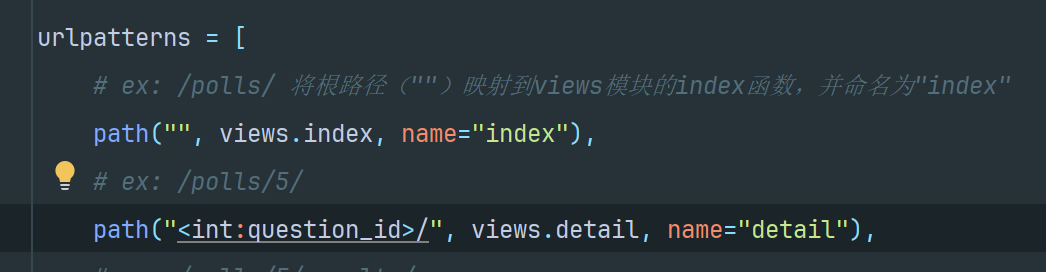
因此可以通过使用 {% url %} 模板标签来消除对 url 配置中定义的特定 URL 路径的依赖:
1
2
3
|
<li>
	<a href="{% url 'detail' question.id %}">{{ question.question_text }}</a>
</li>
|
URL 命名空间
如果项目中有多个应用,每个应用都有 detail 视图就会重名,因此可以在应用的 urls.py 中添加 app_name 设置命名空间:
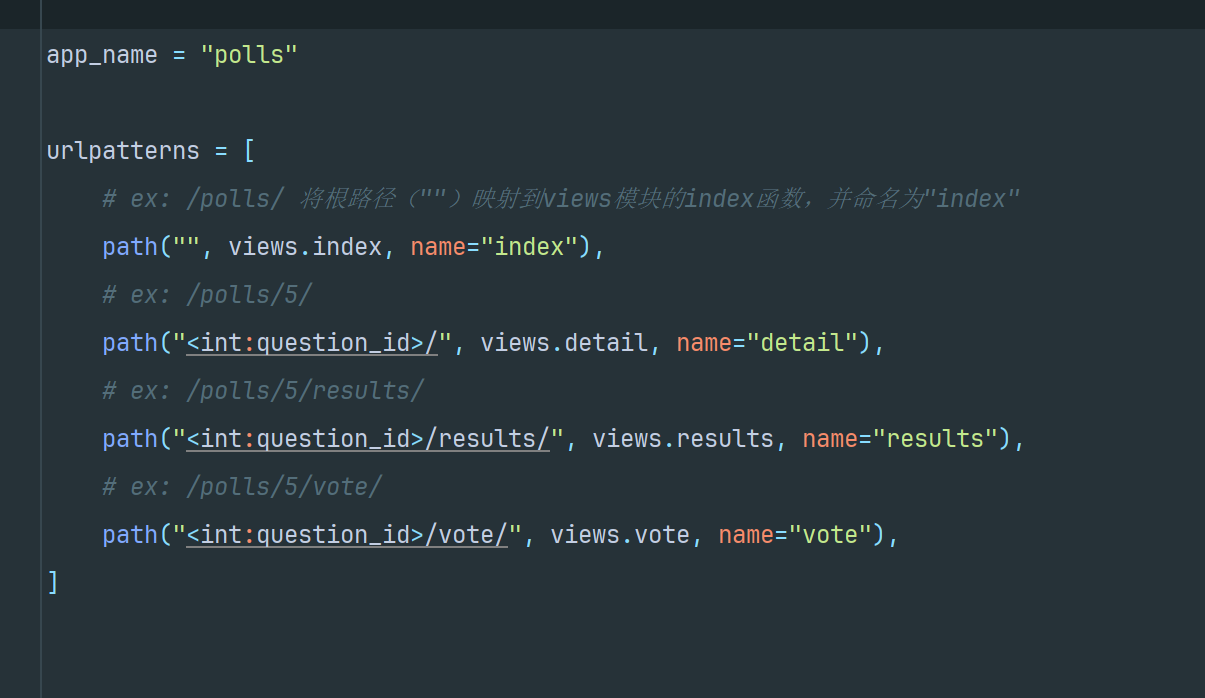
然后 polls/index.html 也做些修改:
1
2
3
4
5
|
<li>
	<a href="{% url 'polls:detail' question.id %}"
		>{{ question.question_text }}</a
	>
</li>
|